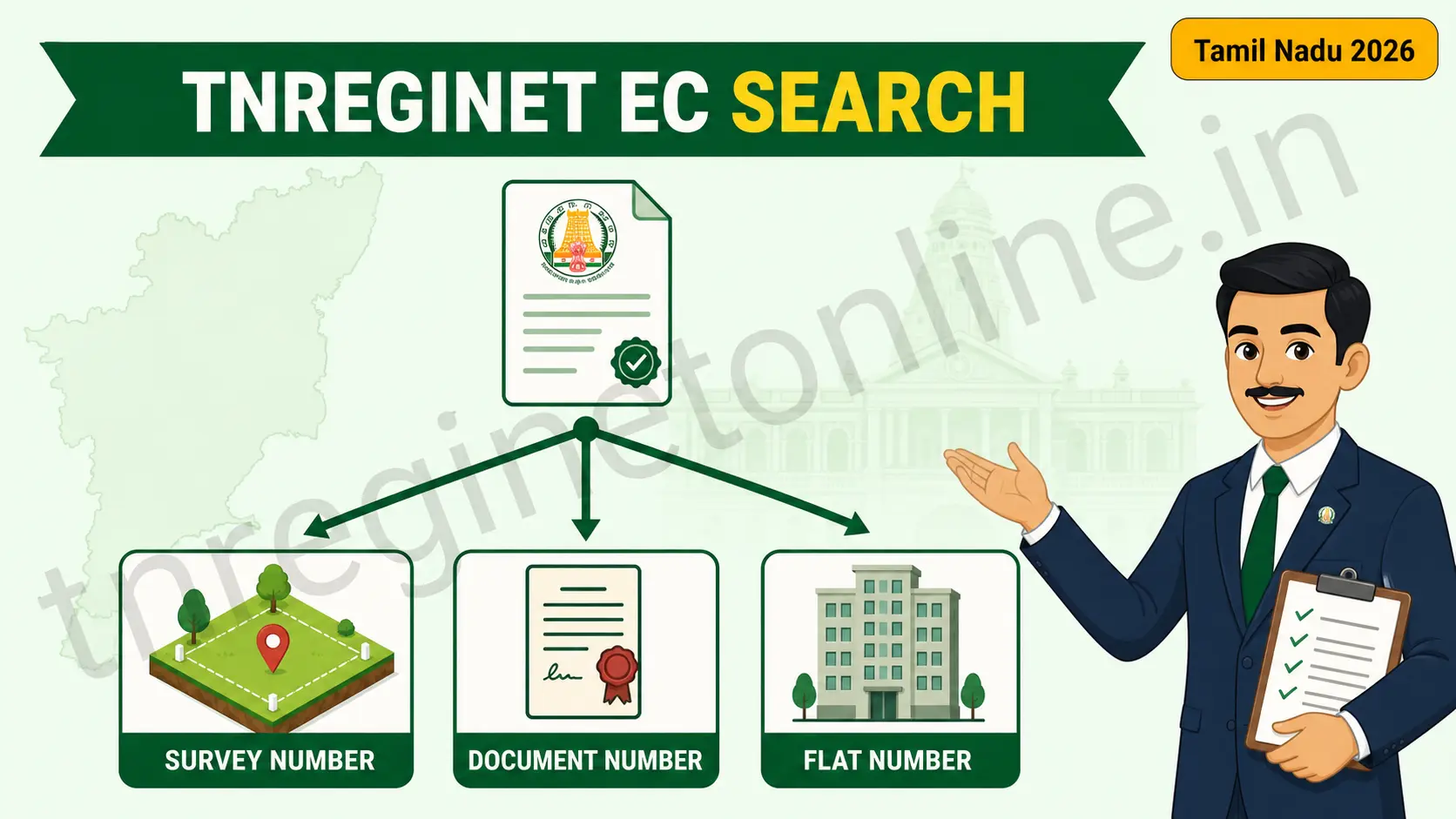
TNREGINET EC search is not one process, and that is the single thing nobody tells you. The portal offers three separate search modes, and the right one depends entirely on which property detail you are holding. Have a survey number? Use EC-wise. Have the old deed? Use Document-wise. Buying a flat? Use Plot/Flat-wise. Pick the wrong mode and the portal returns nothing, even when your details are perfectly correct.
Most guides walk you through a single EC search and leave it there. That is why so many people end up staring at an empty result: they were never told that TNREGINET splits the search into three different paths, each demanding a different set of fields.
This guide flips the order. Instead of starting with the portal, it starts with you. Look at what is actually in your hand right now, and this page will route you to the correct search mode and the exact fields it will ask for.
Before your TNREGINET EC search: what do you actually have?
Before you open the portal, look at the documents in front of you. Whatever you can find determines your route.
| What you have in hand | Your search mode |
|---|---|
| A survey number from a Patta, Chitta, or sale deed | EC-wise search |
| The registration document number and its year | Document-wise search |
| A flat number in an apartment or gated project | Plot / Flat-wise search |
| Only an address, nothing else | None of them work yet. See the last section. |
The one thing that breaks every mode: the Sub-Registrar Office. All three searches need the correct SRO, and the correct SRO is the office where the document was originally registered, not the office nearest to the land. This single field sinks more searches than every other mistake combined. Confirm it with Know Your Jurisdiction before you begin.
Route 1: EC-wise search (you have a survey number)
This is the most common route, and the one people mean when they say TNREGINET EC search without qualifying it. It searches land by its physical identity in the revenue records: which village, which survey number, which subdivision.
It suits standalone plots, houses on independent land, agricultural land, and any property where you can read a survey number off a Patta or an older deed. It works well for tracing a property’s full transaction history when you have no specific document in mind.
Fields this mode demands
- Zone: the registration zone your district sits under.
- District: as printed on your deed, not where you currently live.
- Sub-Registrar Office: the registering office, confirmed via Know Your Jurisdiction.
- Village: chosen from the dropdown, watching for spelling variants.
- Survey Number: digit for digit from your document.
- Subdivision Number: if the parcel was split, this is mandatory.
- Search period: a start date and an end date.
Two traps are worth naming here. First, village names often have more than one accepted English spelling because they are transliterated from Tamil, and the dropdown holds only one of them. If your first choice returns nothing, scroll the list for a near-match. Second, survey numbers change after land partitions, so the number on a 1990s deed may no longer be the current number for that same plot. Cross-check against a recent Patta rather than trusting an old document.
Route 2: Document-wise search (you have the deed)
If a registered document is physically in front of you, this is the faster and more reliable route. Instead of asking the portal to find land by its geography, you are asking it to pull one specific registration entry by its reference number.
Use this when you are verifying a particular past transaction: a sale deed you want to confirm, a mortgage entry someone mentioned, a settlement or gift you need proof of. It is also the natural fallback when a survey-based search keeps failing, because the two routes read the records differently and one often surfaces what the other misses.
Fields this mode demands
- Document Number: the registration number printed on the deed.
- Year of registration: the year it was registered, which is not always the year it was executed.
- Sub-Registrar Office: the office named on the document itself.
Fewer fields means fewer things to get wrong, which is why this route has the highest success rate of the three. The one detail people slip on is the year: a deed signed in December and registered in January belongs to the later year in the portal’s records. If your search fails, try the adjacent year before assuming anything is wrong.
One more advantage worth knowing: the document number and the registering SRO are almost always printed together on the first or last page of the deed. You rarely need to look anything up. If you are working from a photocopy that has been scanned badly, read the number carefully, since a 6 misread as an 8 will return nothing at all.
Route 3: Plot / Flat-wise search (you are buying an apartment)
Apartments are the situation where the other two routes genuinely struggle, and it is worth understanding why rather than just being told to switch modes.
A flat is not land in the way the revenue records understand land. When a builder develops a project, the parent land carries one survey number, and every individual flat is legally an undivided share of that same parcel plus a built unit. Search that survey number and you may pull the entire project’s transaction history, hundreds of entries, with your specific flat buried somewhere inside it. Search nothing at all and you get nothing.
Plot/Flat-wise search exists for exactly this. It lets you identify the unit within the project rather than the land beneath it.
Fields this mode demands
- Zone, District and SRO: as with every other mode.
- Plot or Flat number: the unit identifier from your agreement.
- Building or project details: where the portal asks for them.
For flat buyers specifically: one EC is rarely enough. A complete picture usually means checking the parent land’s history and your individual unit, because an encumbrance on the parent land can affect your flat even when the flat’s own record looks clean. If you are buying, run both searches, or have a lawyer do it.
The three modes side by side
| EC-wise | Document-wise | Plot / Flat-wise | |
|---|---|---|---|
| Best for | Plots, houses, farmland | Verifying one known deed | Flats, gated projects |
| Key input | Survey number | Document number and year | Flat or plot number |
| Fields to fill | Most (seven) | Fewest (three) | Moderate |
| Chance of failing | Highest, since more fields can be wrong | Lowest | Moderate |
| Shows full history? | Yes, across the whole period | No, only that entry’s context | For the unit, yes |
Read that last row carefully, because it is the practical difference nobody explains. Document-wise search is the most likely to succeed, but EC-wise search is the one that gives you the property’s whole story. If you are a buyer doing due diligence, you eventually want the EC-wise result, even if you use document-wise first to confirm the SRO is right.
Running your TNREGINET EC search on the portal
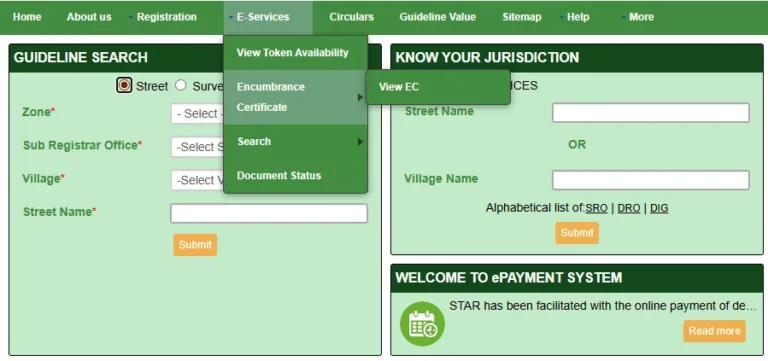
Once you know your route, the mechanics are the same. Log in at the official portal, tnreginet.gov.in, and open E-Services → Encumbrance Certificate → Search / View EC. Select your search type from the three tabs, fill the fields your route requires, set the period, clear the captcha, and search.
Set the period generously. The portal’s computerised records begin in 1987, so unless you have a specific reason to narrow it, run from 01-01-1987 to today and capture everything in one pass. A tight date range that happens to miss the transaction year is one of the quietest causes of an empty result, and it looks identical to a genuinely clean property.
Viewing and downloading the basic EC as a PDF costs nothing with a registered account. A fee applies only if you need a certified copy issued by the Sub-Registrar Office. Note: fee positions and portal charges are correct at the time of writing and can be revised without notice. Confirm current charges on the official portal before you rely on them.
If the portal itself refuses to cooperate before you get that far, our guide on TNREGINET login problems and account issues covers the access side. For the full walkthrough of viewing and saving the certificate once it appears, see EC view online in Tamil Nadu. And once you know the property is clear, you will want to budget the registration cost using the TNREGINET stamp duty calculator.
If you only have an address
This deserves saying plainly, because a lot of people arrive here hoping otherwise: you cannot run a TNREGINET EC search by address alone. Every one of the three modes needs a structured identifier, whether that is a survey number, a document number, or a unit number. A street name and a door number will not get you a record.
What you can do is work backwards to find one of those identifiers:
- Check any property tax receipt, which frequently carries the survey number.
- Look up the Patta or Chitta through the Tamil Nadu land records service, which will give you the survey and subdivision numbers.
- Ask the seller or their advocate for the parent document, which carries both the document number and the registering SRO.
- Visit the jurisdictional SRO with whatever you do have and ask them to trace it, which they can often do from a name and locality.
Once you have any one of those, come back to the routing table at the top of this page and pick your mode.
Frequently asked questions
How many EC search options does TNREGINET have?
Three. EC-wise search uses the survey number and village. Document-wise search uses the registration document number and year. Plot/Flat-wise search uses a flat or plot number and suits apartments. All three need the correct Sub-Registrar Office.
Which TNREGINET EC search method is most reliable?
Document-wise search, because it asks for the fewest fields and therefore gives you the fewest chances to make a mistake. If you hold the registered deed, start there. EC-wise search is the one that shows the property’s complete transaction history.
Can I search for an EC on TNREGINET using only the property address?
No. The portal requires a structured identifier such as a survey number, document number, or flat number. An address alone is not searchable. Find the survey number through the Patta, Chitta, or a property tax receipt first.
Why does the EC search need the Sub-Registrar Office?
Records are held by the office where the document was originally registered, and that record set is not shared with neighbouring offices. Selecting the SRO nearest the land, rather than the registering SRO, is the most common reason a correct search returns nothing.
Which search should I use for a flat in an apartment?
Plot/Flat-wise search. A flat is legally an undivided share of the parent land, so a survey-number search can return the whole project’s history instead of your unit. Buyers should ideally check both the unit and the parent land.
Is TNREGINET EC search free?
Viewing and downloading the basic EC as a PDF is free with a registered account. A separate government fee applies for a certified copy from the Sub-Registrar Office. Confirm the current fee on the official portal, as charges can change.
In short: choose your TNREGINET EC search route before opening the portal
A failed TNREGINET EC search is usually a routing error, not a records problem. Look at what you are holding, pick the matching mode, confirm the Sub-Registrar Office with Know Your Jurisdiction, and set the period from 1987 to today. Do those four things and the record almost always appears on the first attempt.
Next step: confirm your SRO, then run your chosen search on the official portal at tnreginet.gov.in. For portal support, the Registration Department helpline is 1800 102 5174. Helpline and portal details are accurate at the time of writing and may be revised, so verify them on the official site.
Related services on this site
- EC View Online Tamil Nadu: the full walkthrough for viewing and downloading your certificate once the search succeeds.
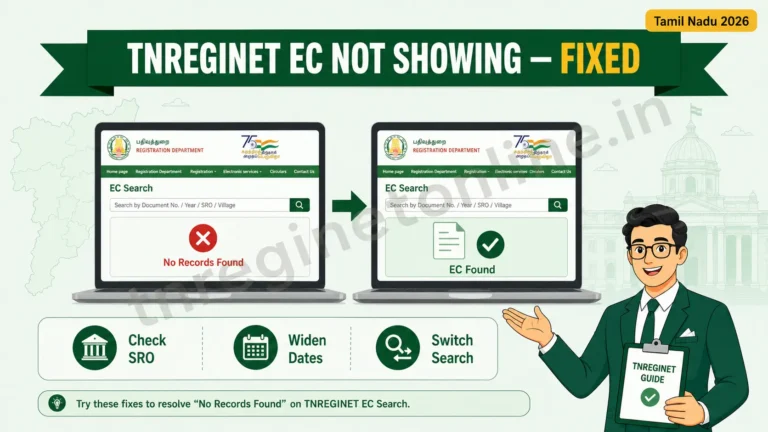
- EC Showing “No Records Found”: what to do when the right mode still returns an empty result.
- TNREGINET Stamp Duty Calculator: work out what registration will actually cost you once the property checks out.
Last updated: July 2026. TNREGINETonline.in is an independent guidance site and is not affiliated with the Government of Tamil Nadu or the Registration Department. Always verify current fees, procedures, and portal details on the official portal, tnreginet.gov.in, before acting.